Enter Password
Hint: Check submitted CV for password
Reimagining Workflow Execution with Xenia’s Operations Templates
Overview
Team
1 UX Designer
1 Product Manager
3 Engineers
My Role:
User Research,Interaction,
Visual design, Prototyping & Testing
Timeline:
12 weeks
Background
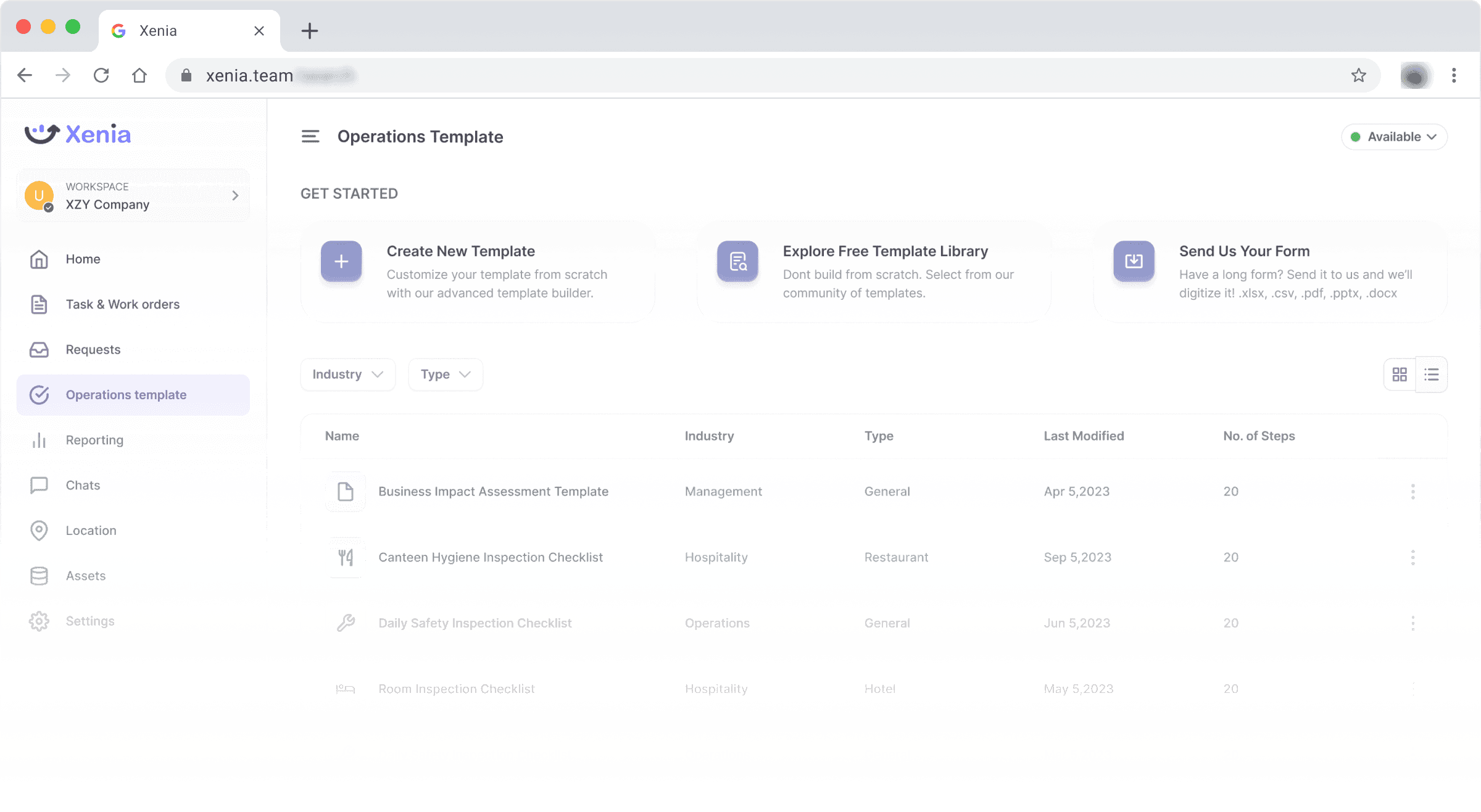
Xenia is a B2B SaaS platform designed for operations, audits, and training execution. It serves industries like hospitality, property management, healthcare, and manufacturing where frontline managers and teams coordinate tasks and workflows across multiple sites.
In this project, I was responsible for the design of Xenia's Operations Template system, a feature that would allow users to create reusable, logic-driven task templates. My role involved uncovering the challenges users faced with manual task creation, conceptualizing a new builder experience, and delivering a seamless design solution that worked across desktop and mobile
The Problem
In speaking with our users, a pattern emerged: nearly every manager was recreating the same daily tasks — safety checklists, hygiene inspections, routine maintenance — across different locations and team members.
"We’re copying and pasting tasks across properties every morning. It’s tedious and error-prone."
This was more than an inconvenience. It created:
Operational drag — wasting hours every week
Inconsistencies — different teams executing tasks differently
No room for automation — everything was manual
To better understand the scale of the problem, we compiled internal support queries and conducted a survey with operational users across five key industries. Here’s what we uncovered:
41%
of users reported spending excessive time recreating task checklists each day
36%
said they struggled to maintain consistency across teams and locations
28%
admitted they avoided using the platform altogether for complex workflows due to lack of reusability
Understanding the Users Behind the Workflows
Before jumping into wireframes or prototypes, I wanted to deeply understand what daily execution looked like for Xenia's users , especially those managing large teams or carrying out on-the-ground inspections. I initiated this process with a mix of qualitative and quantitative research.
1-on-1 Interviews: I conducted 12 user interviews across hospitality, senior living, and facilities management sectors. I spoke with both operations managers and field team members. Each session helped uncover:
The mental models teams had around recurring task creation
Frustrations with duplicating checklists and manually assigning work
The workarounds users were developing to reduce friction (like creating templates in Google Sheets)
"I have to copy the same 30-step checklist every week — it’s draining."
"We started building our own templates in Notion just to stay consistent."
📊 Support Queries & Usage Logs: Alongside interviews, I partnered with our Customer Support team to audit over 150 support tickets. A large number of them included themes like:
"How can I clone a checklist?"
"Is there a way to reuse this flow for other locations?"
"Why do I have to re-enter tasks every time?"
This analysis confirmed that the problem was widespread — and largely rooted in the absence of a reusable, scalable workflow model.
062
Make the bed
Clean
Room 100


+5
Open
Low
Apr 5,2023
Apr 5,2023
064
Make the bed
Clean
Ground Floor
+5
Open
Low
Apr15,2023
Apr 5,2023
066
Make the bed
Clean
Room 105
Open
Low
Apr 14,2023
Apr 5,2023
Screenshot: Duplicate task created for one purpose, assigned to another department and team.
Personas (Synthesized from Interviews)
This foundational research aligned the team around user needs and framed every design decision that followed. It also ensured we were solving real operational pain, not just improving UI flows.

Darlene Stewart
HOTEL OPERATIONS MANAGER
Oversees operations across 10 properties
Needs consistent safety and hygiene checklists
Desktop-first, process-focused

Mike Miro
FIELD INSPECTOR
Handles 10–15 inspections per day across locations
Relies on mobile, prefers media-based inputs
Values speed, clarity, and minimal typing
Defining the MVP
With research insights in hand, we needed to prioritize what to build first. The goal for the MVP was to deliver a version of the Operations Template system that solved the most pressing pain points without overcomplicating the initial release.
Notes from Brainstorming
During our MVP planning workshop, Working with the product manager, we used sticky notes to capture every idea, pain point, and potential solution before distilling them into clear goals. Some of the key stickies included:
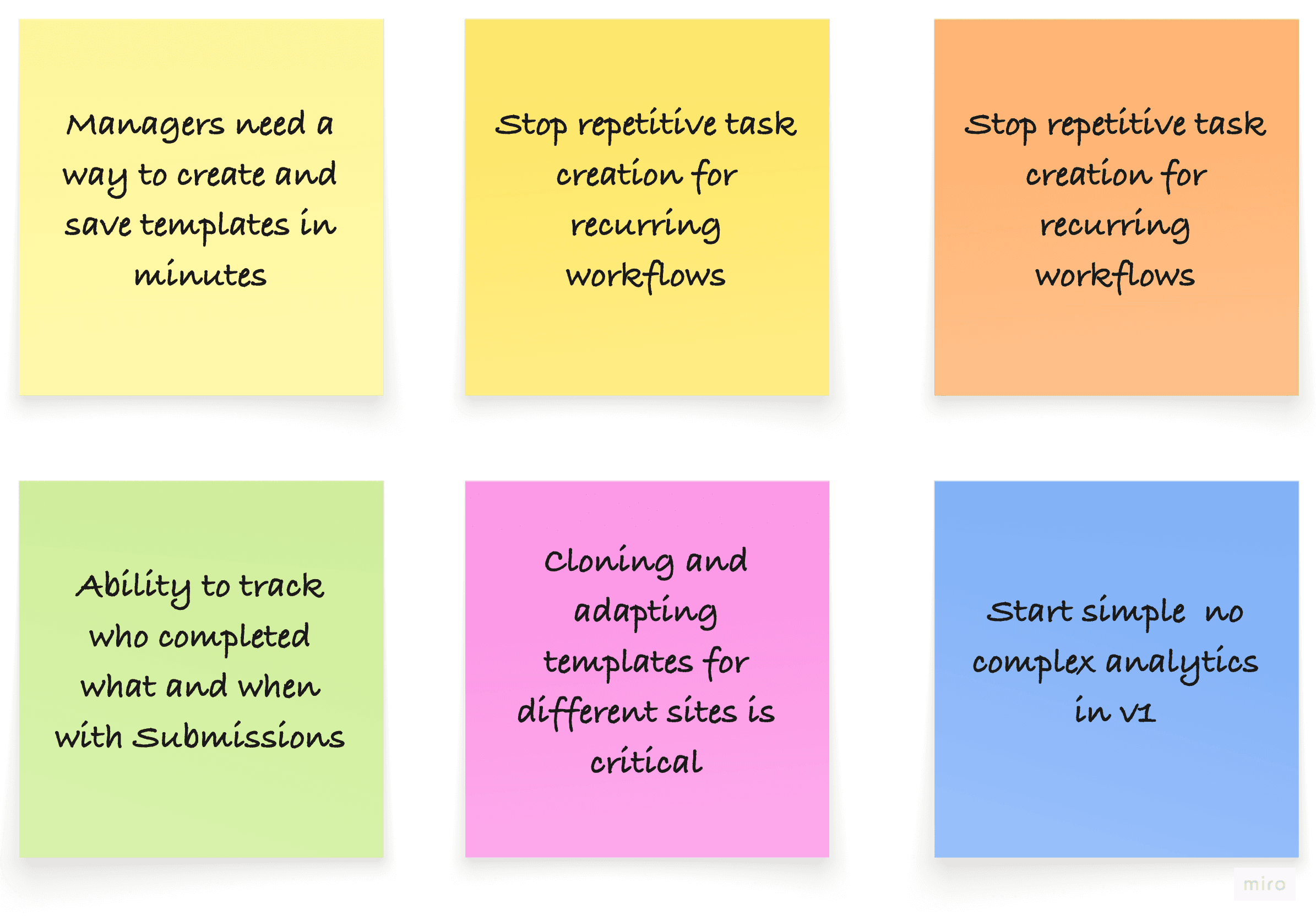
MVP Goals:
Enable quick template creation: Provide a builder where managers could add steps, apply logic, and assign tasks in minutes.
Support reusability: Allow templates to be saved, cloned, and adapted for different teams or locations.
Ensure mobile parity: Guarantee that any template built on desktop could be executed seamlessly on mobile.
Track execution: Provide basic submission history and reporting to close the loop.
We deliberately left out advanced analytics, complex automation chains, and deep integration features for later iterations, focusing instead on delivering core value quickly.
This MVP approach ensured we could validate adoption, measure efficiency gains, and gather feedback before expanding the system.
We whiteboarded ideas around:
Modular builders
Drag-and-drop step systems
Conditional automation logic
After defining the MVP, I moved into translating ideas into low-fidelity wireframes to validate structure and hierarchy before refining into high-fidelity prototypes. This phase aimed to ensure that each interaction aligned with user workflows while reducing cognitive load across desktop and mobile.
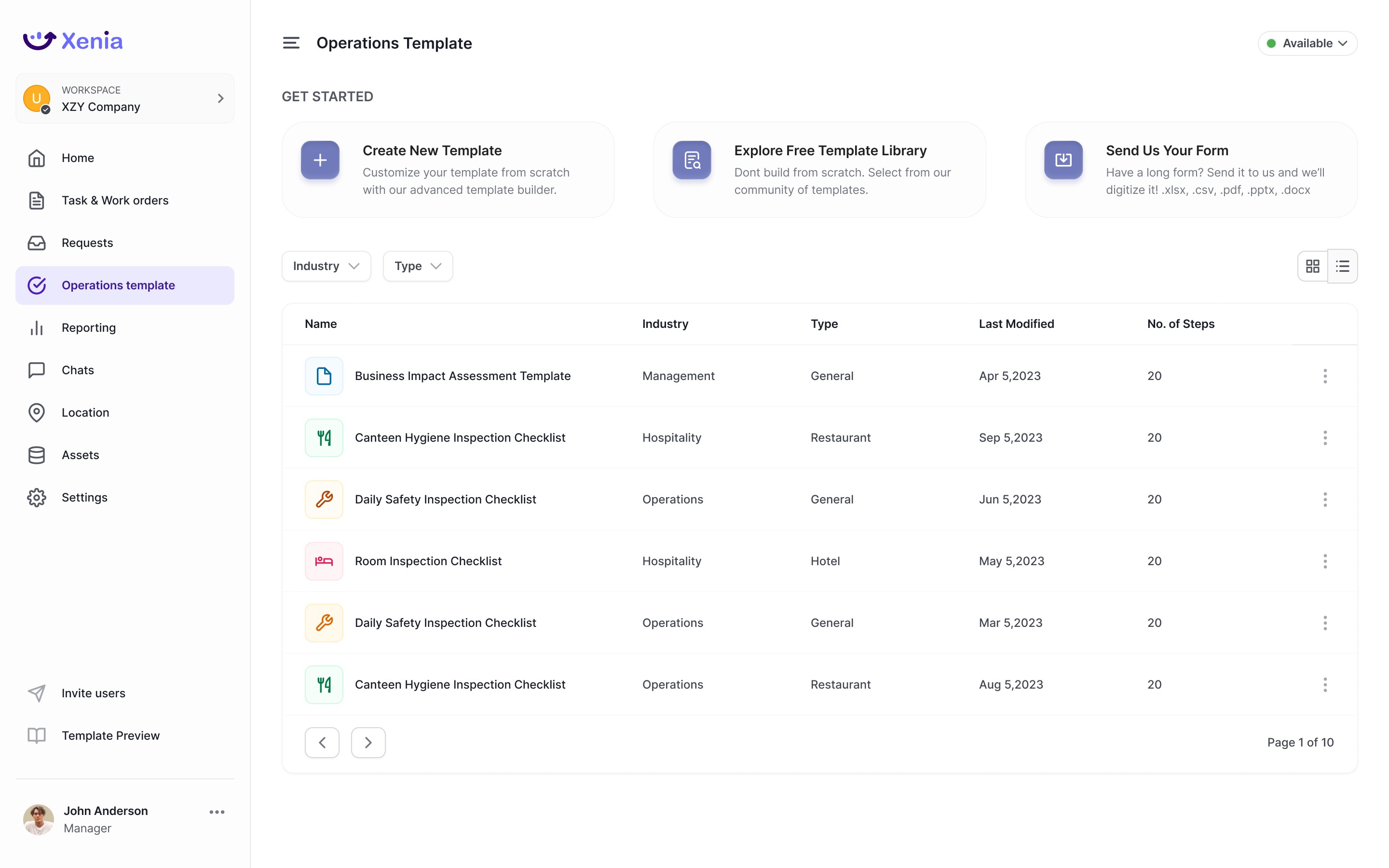
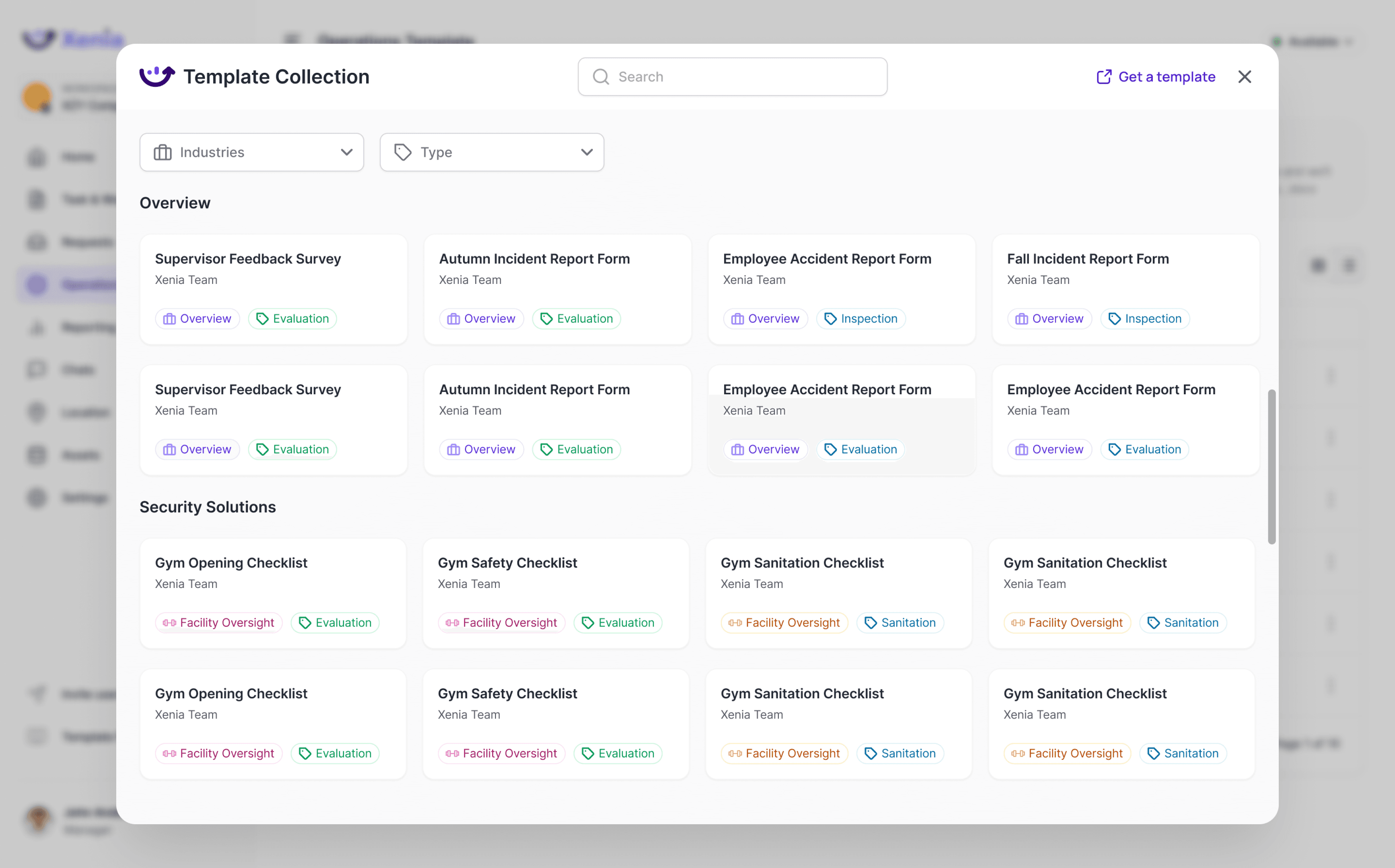
Templates Page
Serves as the central hub where users can quickly view, filter, and access operational templates — both their own and those available in the free template library.

xenia.team
/search

Xenia .
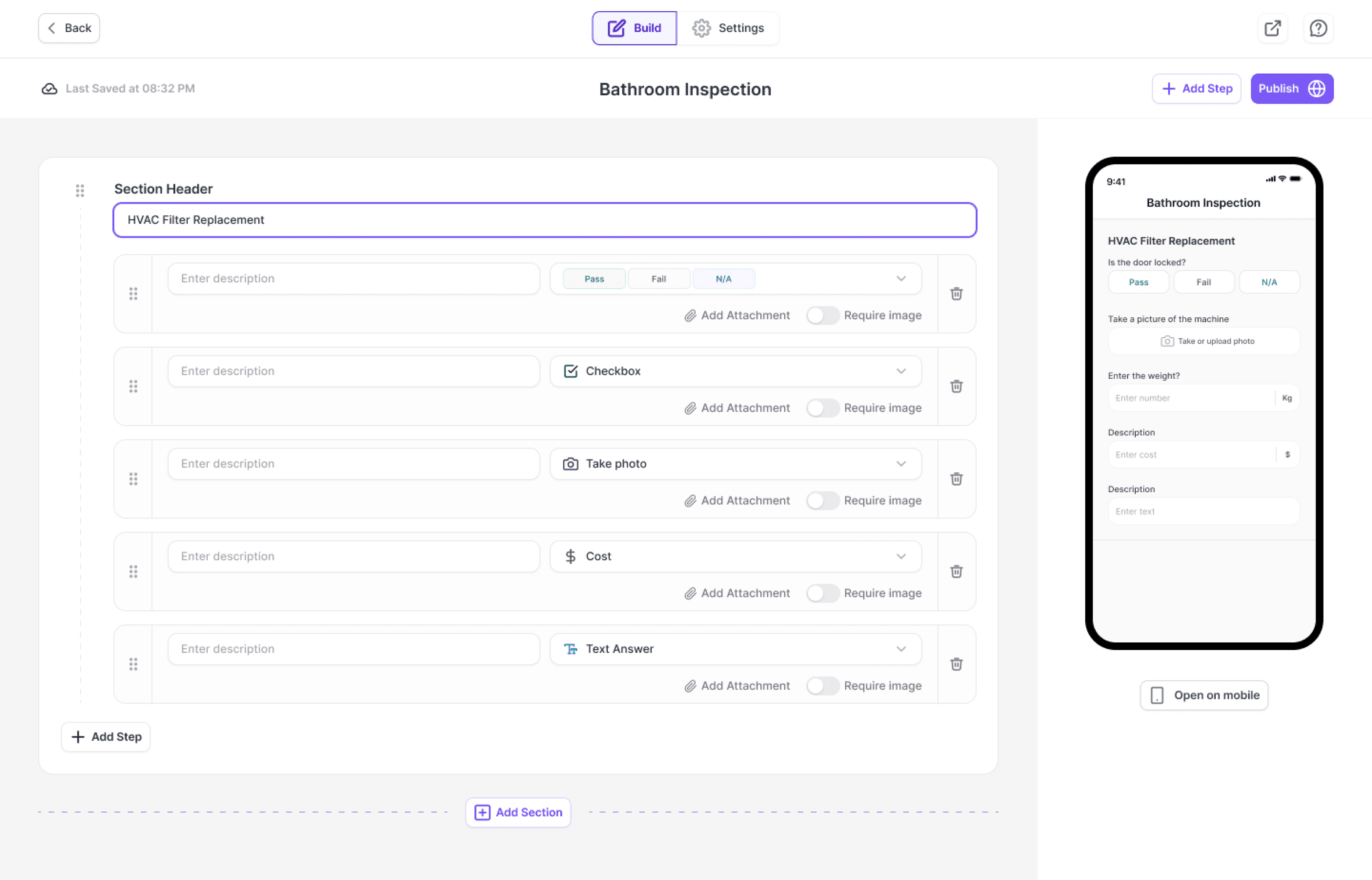
The core workspace where users define steps, add tasks, and apply conditional logic to streamline workflows.
xenia.team
/search
Xenia .
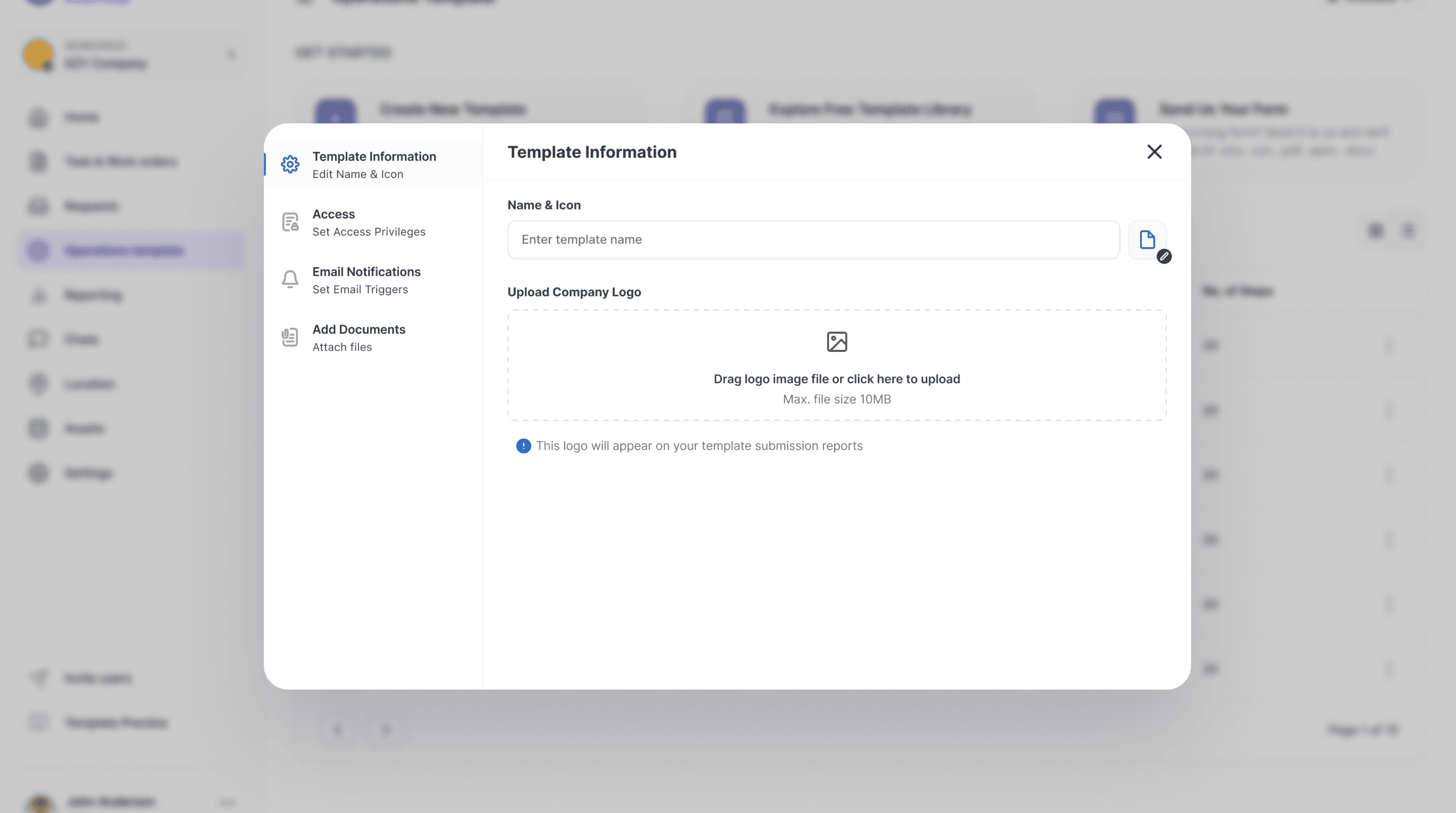
Create Template Modal
A quick-start entry point allowing users to begin template creation without navigating away from their current context.
xenia.team
/search
Xenia .
Builder with Logic
The core workspace where users define steps, add tasks, and apply conditional logic to streamline workflows.
xenia.team
/search
Xenia .
Testing with Users & Iterating
After developing the first high-fidelity prototypes, The team conducted usability testing with operations managers and frontline staff to validate whether the designs were intuitive and met their workflow needs.
Testing Approach
Method:
Remote moderated sessions with Figma interactive prototypes
Participants
5 operations managers
3 field technicians
Scenarios:
Build a new checklist with conditional logic
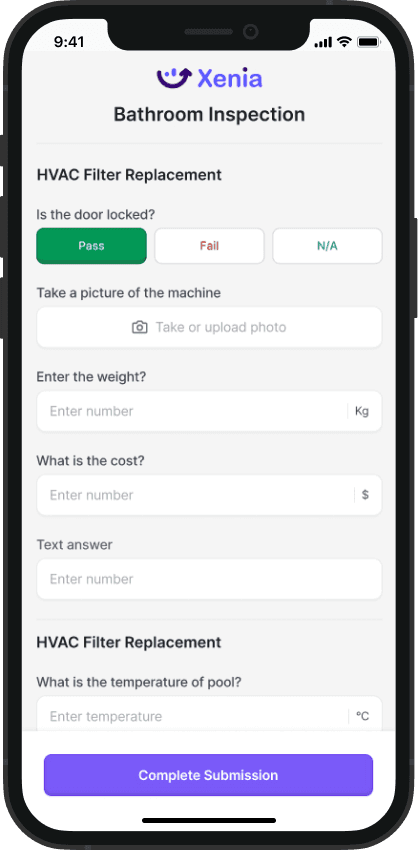
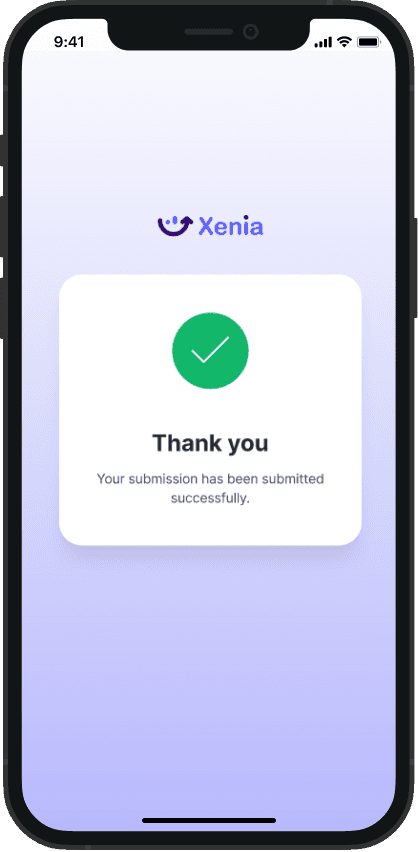
Preview a template and complete a submission on mobile
Sync external tools (e.g., thermometer) with inspection steps
Key Insights:
3.
Mobile execution needed tighter feedback loops
Field users valued real-time validation (e.g., temperature syncing) but wanted smoother progress indicators.
Small-screen text readability was flagged, especially with long multi-choice labels.
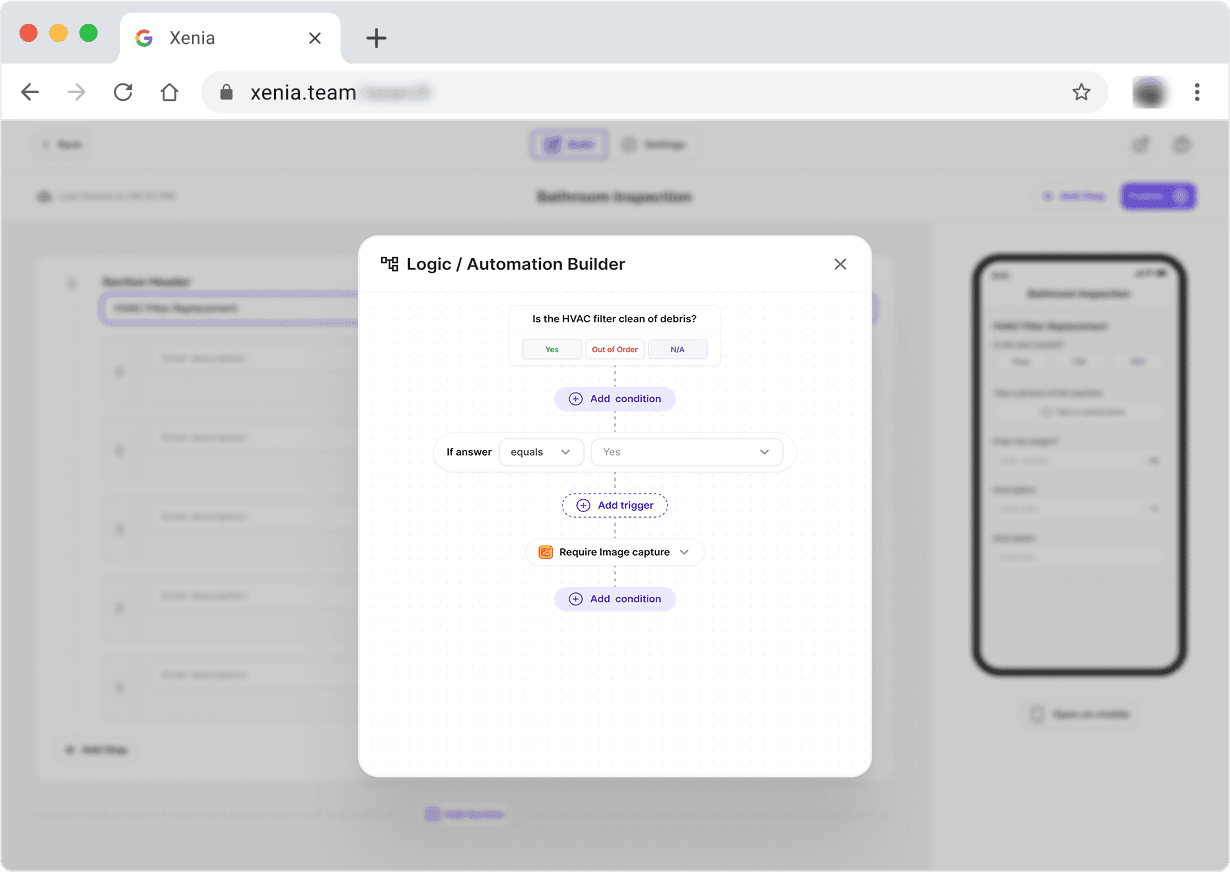
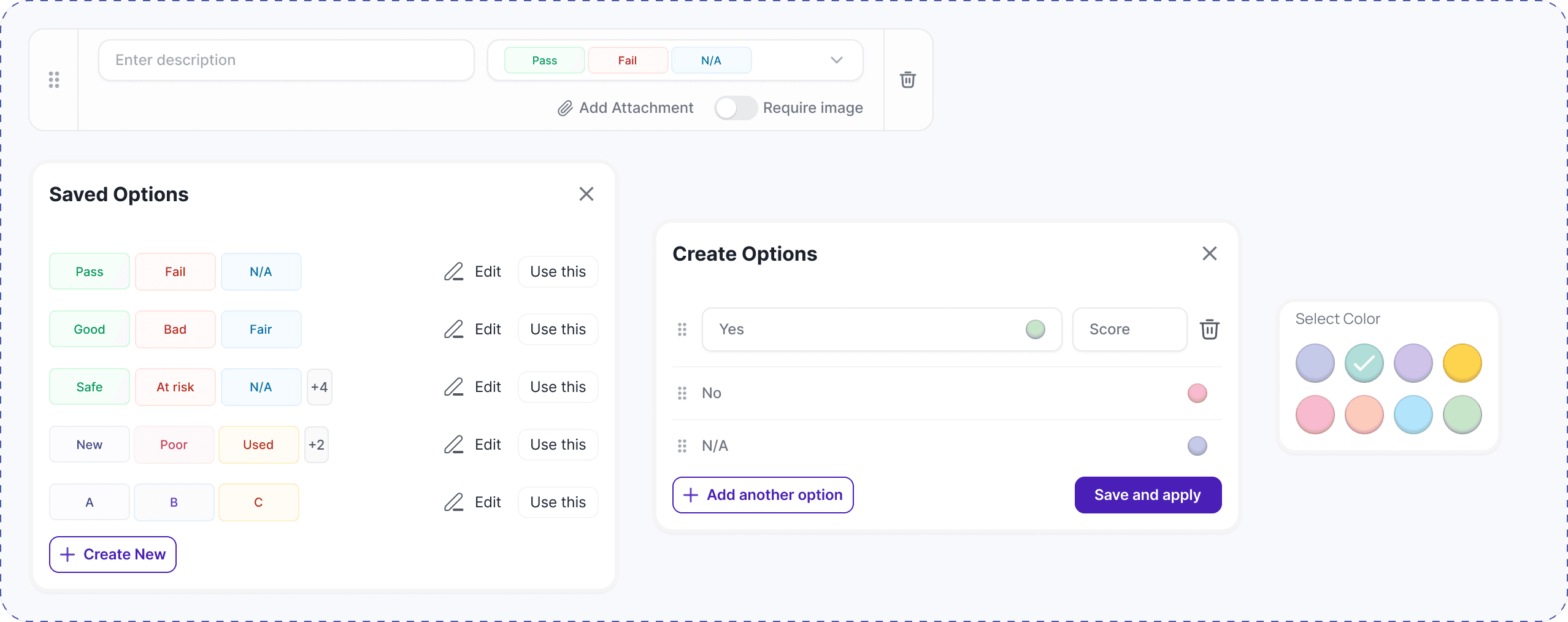
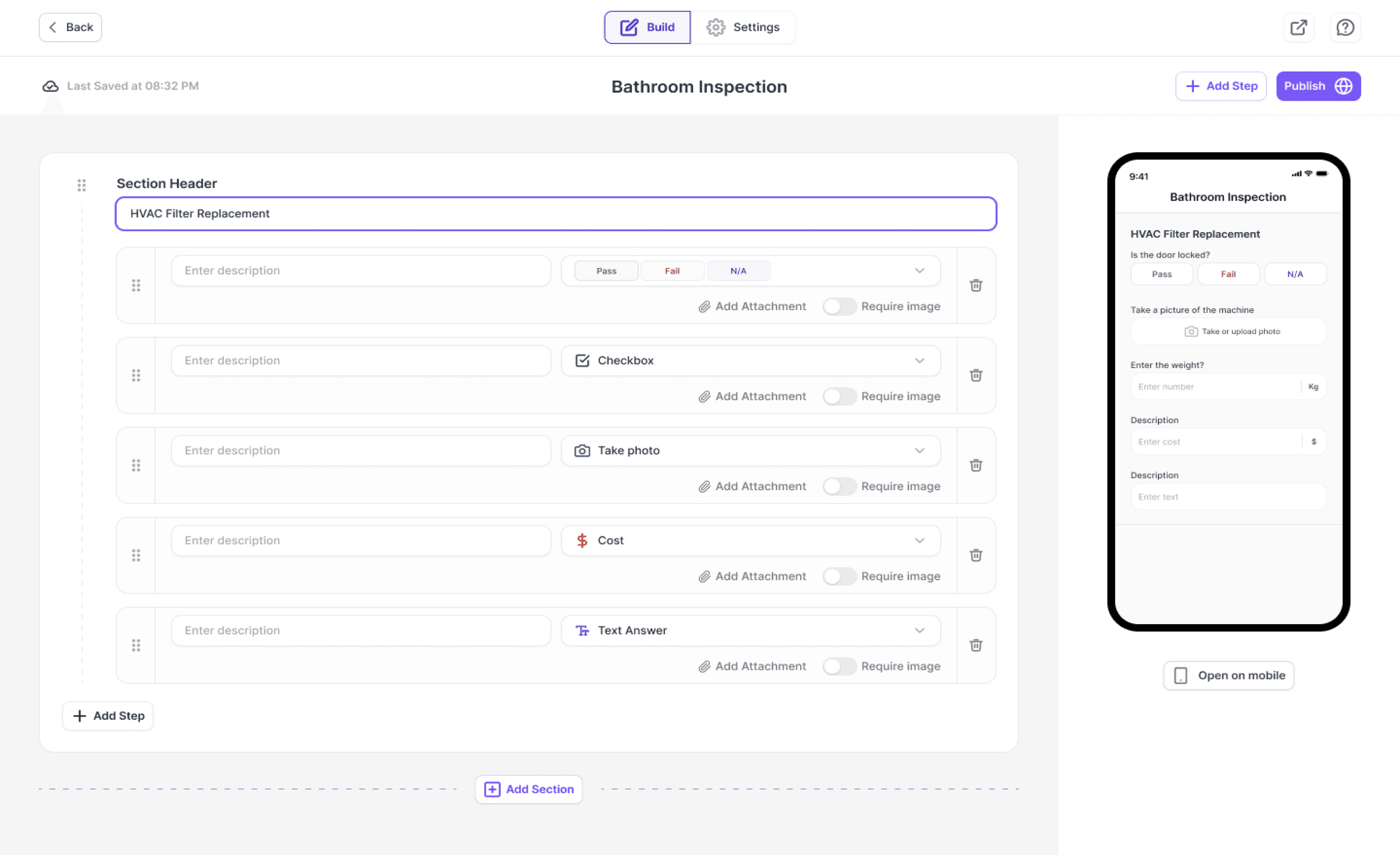
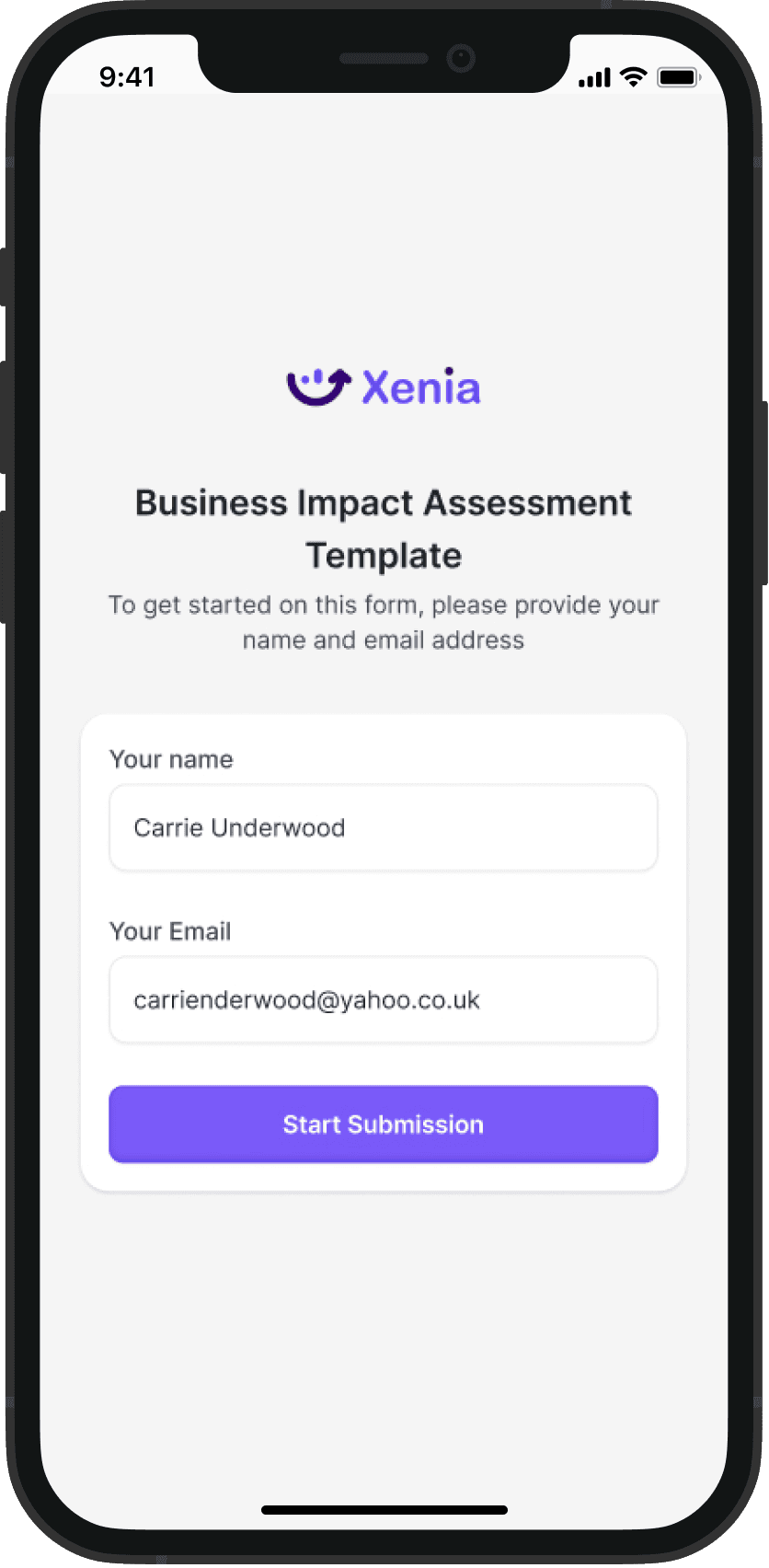
The Insights helped us to carryout Iterations
xenia.team
/search
Xenia .
Outcomes & Impact
These iterations directly addressed user frustrations, leading to:
88%
of users built templates without guidance
4.5m
Average build time dropped from 10 mins → 4.5 mins
2x
Teams using templates saw 2x more completed workflows
70%
Support tickets about "task duplication" dropped by 70%
"This builder saved me hours. I now start my day assigning templates, not typing tasks."
What I Learned
Working on the Operations Template feature reminded me that great design doesn’t happen in isolation — it’s the result of collaboration.
At the start, I focused on solving for speed and efficiency. But as I partnered with our product manager, I learnt to balance business goals with user needs. Through constant feedback from engineers, I discovered how important it is to design with implementation in mind, making sure logic, submissions, and mobile flows could be built without unnecessary complexity. And by testing alongside users in the field, I saw how their realities shaped decisions we hadn’t considered in the design room.